Live evidence library
Find the documentation, company claims and source material behind a deal question. Search the latest successful captures, then open the original to verify what applies.
Source evidence, not approved PRISM guidance. A customer story describes the vendor’s selected results. A collection date does not establish a launch date. Failed checks retain the last successful capture.
372 matching sources · Showing 211–240. Search requires all entered words.
Cove · documentation · primary coverage
Email Builder allows several ways to include images and link to files, like PDFs, in your emails. Choose a button for a strong call-to-action, hyperlinked text for a subtle in-line reference, or a linked image for a visual thumbnail that doubles as a link.
Please Note: Images and files cannot be dragged and dropped directly into the builder — instead, use one of the methods:
Add Links via a Button
Hyperlinked Text
About the File Manager
Add Links via a Button
Buttons are a clear, visual wa
Captured 2026-10-12 · Current capture
Cove · documentation · primary coverage
Unsubscribing to Announcements
Users can unsubscribe to emails from the bottom of the email itself.
Each announcement type is subscribed and unsubscribed separately. For example: a user could unsubscribe from Property Communication but remain subscribed to Marketing Announcements.
Resubscribing to Announcements
Users can resubscribe to announcements from the mobile app.
Click on the three horizontal bars (hamburger bars) to open the left side navigation menu.
Click on Notification Settings
Captured 2026-10-12 · Current capture
Cove · documentation · primary coverage
We’re committed to providing a reliable and transparent experience on the Cove platform. To help you stay informed about system performance, incidents, and maintenance, we provide a public status page:
👉 https://status.cove.is/posts/dashboard
What is the Status Page?
The Cove Status Page is your go-to resource for real-time updates on the availability and performance of Cove services. It provides visibility into:
Current system status (operational, degraded, outage)
Ongoing incidents or disrup
Captured 2026-10-12 · Current capture
Cove · documentation · primary coverage
Bulk action options allow users to take action on multiple work orders at once directly from work order table pages (New in My Groups, Assigned to Me, Open Work Orders, Upcoming Work Orders, and All Work Orders pages). Instead of managing requests individually, users can select multiple work orders and apply updates or generate exports in a single step.
Access to bulk action options varies by user role:
Building Admins and Managers: Access to all bulk action options
Engineer Managers: Export t
Captured 2026-10-12 · Current capture
Cove · documentation · primary coverage
We recommend suspending users rather than deleting their accounts. Suspension immediately blocks building access while preserving waiver, reservation, event attendance, and work order history for reporting and audits. It also prevents broken workflows, lost assignments, and accidental re-enrollment.
Best Practices for Suspending Building Staff
Suspending an Individual User
Suspending Users in Bulk
What Happens When a User Is Suspended?
Best Practices for Suspending Building Staff
To ensure
Captured 2026-10-12 · Current capture
Cove · documentation · primary coverage
Public Work Orders allow properties to accept service requests from anyone with a valid email address, with no Cove account required. Once you have worked with your Customer Success Manager or Cove's Support team to create a public facing work order page, you can share a link that allows guests or external contacts to quickly report issues while still ensuring secure verification and accurate request tracking.
accessing the public work order page
submitting a work order
how public work orders
Captured 2026-10-12 · Current capture
Cove · documentation · primary coverage
ID Scanning lets front-desk staff check visitors in by scanning a QR code, a driver's license, or a passport. Licenses and passports are matched against the visitors expected today, so you can check in the right person without typing their name.
ID Scanning requires a compatible barcode scanner that supports driver's license parsing.
Only the first and last name are used. Cove does not display or store the date of birth, document number, or any other field from a scanned license or passport.
Tu
Captured 2026-10-12 · Current capture
Cove · documentation · primary coverage
Event surveys allow property teams to easily gather feedback from attendees after an event ends, either automatically as part of event setup or manually from the event detail page. This gives teams flexibility to collect feedback when it makes sense: before the event goes live, after attendance is clearer, or later if admins decide they want to measure response after the fact.
Creating Surveys
Setting up Auto-Send Within the Event
Manually Sending Surveys
How Users Take the Survey
Reviewing
Captured 2026-10-12 · Current capture
Cove · documentation · primary coverage
The Routing & Assignments Simplified: Ensure work orders, maintenance tasks, and inspections go to the right people and teams webinar took place on March 4, 2026, and is now available to watch on demand.
The session walks through the four routing and assignment options teams can use to route work orders, maintenance tasks, and inspections, provides practical examples for when to use each option, explains notification behavior for default assignees versus work groups, and reviews work group c
Captured 2026-10-12 · Current capture
Cove · documentation · primary coverage
The Activity Log allows building staff to record notable events and incidents as they occur throughout the day. It provides a centralized, chronological record that helps property and building teams maintain visibility, accountability, and continuity across shifts. Entries are created manually and are visible to authorized users once the feature is enabled.
Activity Log entries can be used to document a wide range of building activity, including:
Front desk or lobby observations
Incidents or
Captured 2026-10-12 · Current capture
Cove · documentation · primary coverage
COI setup establishes the insurance requirements and workflows that tenants and vendors must follow. Proper setup ensures accurate compliance tracking, meaningful reporting, and support for downstream actions such as coverage waiver.
Recommended setup order:
COI General Requirements (Certificate Holder, Additional Insured, and Custom Fields)
Create Policy Types (and policy-specific custom questions)
Create Coverage Categories
COI Notifications
Set Coverage Requirements for a Tenant or Vendo
Captured 2026-10-12 · Current capture
Cove · documentation · primary coverage
Time Cards is the mobile-first way for building staff to record and submit weekly hours. Use the app to add daily hours, select the correct time type, save drafts, and submit a completed week for your building admin or manager to review. Approved weeks are locked for payroll; denied weeks return to you as editable so you can fix and resubmit.
If you do not see Time Cards in the app, reach out to your property team to confirm your profile is enabled to submit time cards.
Add Hours
Edit Hours
R
Captured 2026-10-12 · Current capture
Cove · documentation · primary coverage
For property teams, the dashboard is the central place to validate, manage, and finalize employee time cards for payroll. Once your module is configured and your building team members start adding their hours from the mobile app, submitted weeks appear in the Time Cards list and Needs approval table where admins and managers can review, adjust, deny, or approve weeks for payroll. Approved weeks are locked and ready for payroll; denied weeks return to the employee as editable for correction.
Time
Captured 2026-10-12 · Current capture
Cove · documentation · primary coverage
Before building staff can submit hours, property teams must configure Time Cards in the dashboard. This setup section walks you through the essential steps: enable the Time Cards module, create the site time types and entry rules, and configure user profiles so building team members can submit hours and building admins or managers can approve them. Once those items are complete, submitted weeks will appear in the dashboard where approvers can triage and finalize them for payroll. If you do not s
Captured 2026-10-12 · Current capture
Cove · documentation · primary coverage
Time Cards lets hourly building staff record weekly hours from the mobile app and gives property teams a dashboard where approvers can review, approve, or deny submissions. Built to be the primary way to track routine labor, Time Cards makes recording time simpler and less tedious for engineers so they can spend less time on administrative work and more time on building operations. The feature complements work-order and inspection labor tracking while providing structured time types, a complete
Captured 2026-10-12 · Current capture
Cove · documentation · primary coverage
Setup
Troubleshooting
Setup
Troubleshooting
Captured 2026-10-12 · Current capture
Cove · documentation · primary coverage
Setup
Troubleshooting
Setup
Troubleshooting
Captured 2026-10-12 · Current capture
Cove · documentation · primary coverage
Setup
Troubleshooting
Setup
Troubleshooting
Captured 2026-10-12 · Current capture
Cove · documentation · primary coverage
Setup
Troubleshooting
Setup
Troubleshooting
Captured 2026-10-12 · Current capture
Visitt · news · primary coverage
[home](https://visitt.io/)
[Sign in](https://app.visitt.io/login) [Get Started](https://visitt.io/demo-form)

# The Newsroom
Explore the media spotlights and industry news shaping Visitt’s story as we run what’s next in commercial real estate operations.
Visitt’s work featured in
.png?width=96&height=41&name=Cove_Logo_Updated%20(1).png)](https://cove.is/)
[Book a Demo](https://landing.cove.is/book-a-demo)
Blog
# Stay Updated with Cove
Read the latest news, updates, and insights from Cove’s property management blog. Stay informed about industry trends and company news.

Visitt · news · primary coverage
[](https://visitt.io/)
[Get started](https://blog.visitt.io/cs/c/?cta_guid=a22e9db3-0fe4-457f-a4bb-a56716e9c0e5&signature=AAH58kFELE-Q4ePeq0BuIAEQLM78DcBmsg&portal_id=8625521&pageId=65841691548&placement_guid=97a06e03-39b9-4260-9a7a-7fc503b1b762&click=583d6f11-1b5f-4a2e-992e-3fe708f39108&redirect_url=APefjpFbr08Yh03hzuQGUjJmQjOqJVVtWb9tgNIoA
Why watch: Monitor the additional official feature-announcement channel
Captured 2026-10-05 · Latest check failed · Firecrawl HTTP 402 (payment required: check the provider account credits or billing)
Visitt · news · primary coverage
[home](https://visitt.io/)
[Sign in](https://app.visitt.io/login) [Get Started](https://visitt.io/demo-form)

Visitt Blog
# Inside every building
Ide
Why watch: Monitor current product posts and linked detail pages. Treat this as canonical target for the old blog homepage, while retaining distinct legacy tag archives.
Captured 2026-10-05 · Latest check failed · Firecrawl HTTP 402 (payment required: check the provider account credits or billing)
Cove · news · primary coverage
[.png?width=96&height=41&name=Cove_Logo_Updated%20(1).png)](https://cove.is/)
[Book a Demo](https://landing.cove.is/book-a-demo)
Blog
# Stay Updated with Cove
Read the latest news, updates, and insights from Cove’s property management blog. Stay informed about industry trends and company news.

Equiem · customer stories · adjacent coverage
Case studies
# Real success stories
Discover how Equiem makes a difference
Featured
## Connecting commerce and community in a vibrant mixed-use destination
See how our app strengthened community and enabled seamless retail engagement across the Canary Wharf Estate
[Read now](https://getequiem-com.sandbox.hs-sites-eu1.com/case-studies/canary-wharf?hsLang=en-gb)

Visitt · product · primary coverage
[home](https://visitt.io/)
[Sign in](https://app.visitt.io/login) [Get Started](https://visitt.io/demo-form)
[Blog posts](https://visitt.io/blog)
# Introducing OOO & Delegation: Portfolio-wide PTO Responsibility Transfer
CRE operations run on people, and now, your property operations can continue to run smoothly inside the workflow while team members take well-deserved PTO.
By
Michelle Hites
Released
May 7, 2026
Last update
May 11, 2026
Product Releases

HqO · integrations · adjacent coverage

We value your privacy
We use cookies to enhance your browsing experience, serve personalised ads or content, and analyse our traffic. By clicking "Accept All", you consent to our use of cookies.
CustomiseReject AllAccept All
Customise Consent Preferences
We use cookies to help you navigate efficiently and perform certain functions. You will find detailed infor
Why watch: Track ecosystem fit, integration depth and changes in partner positioning.
Captured 2026-10-05 · Latest check failed · Firecrawl HTTP 402 (payment required: check the provider account credits or billing)
HqO · ai · adjacent coverage

We value your privacy
We use cookies to enhance your browsing experience, serve personalised ads or content, and analyse our traffic. By clicking "Accept All", you consent to our use of cookies.
CustomiseReject AllAccept All
Customise Consent Preferences
We use cookies to help you navigate efficiently and perform certain functions. You will find detailed infor
Why watch: Track AI packaging, workflow coverage and availability claims.
Captured 2026-10-05 · Latest check failed · Firecrawl HTTP 402 (payment required: check the provider account credits or billing)
HqO · integrations · adjacent coverage
[Skip to main content](https://helphub.hqo.com/help/integrations-technology#content)
Use with AI
Copy as Markdown
Copy this page as Markdown
[View as Markdown](https://helphub.hqo.com/help/integrations-technology.md)
View this page as Markdown
* * *
[Open in ChatGPT](https://chat.openai.com/?q=Read%20https%3A%2F%2Fhelphub.hqo.com%2Fhelp%2Fintegrations-technology.md%20and%20answer%20questions)
Ask ChatGPT about this page
[Open in Claude](https://claude.ai/new?q=Read%20https%3A%2F%2Fhelph
Why watch: Track ecosystem fit, integration depth and changes in partner positioning.
Captured 2026-10-05 · Latest check failed · Firecrawl HTTP 402 (payment required: check the provider account credits or billing)
Equiem · integrations · adjacent coverage
CONNECT
# Connect buildings and workplaces with **smart integrations**
Out-of-the-box integrations and APIs to power your digital ecosystem.
[Request a Demo](https://getequiem.com/request-a-demo?hsLang=en-gb)
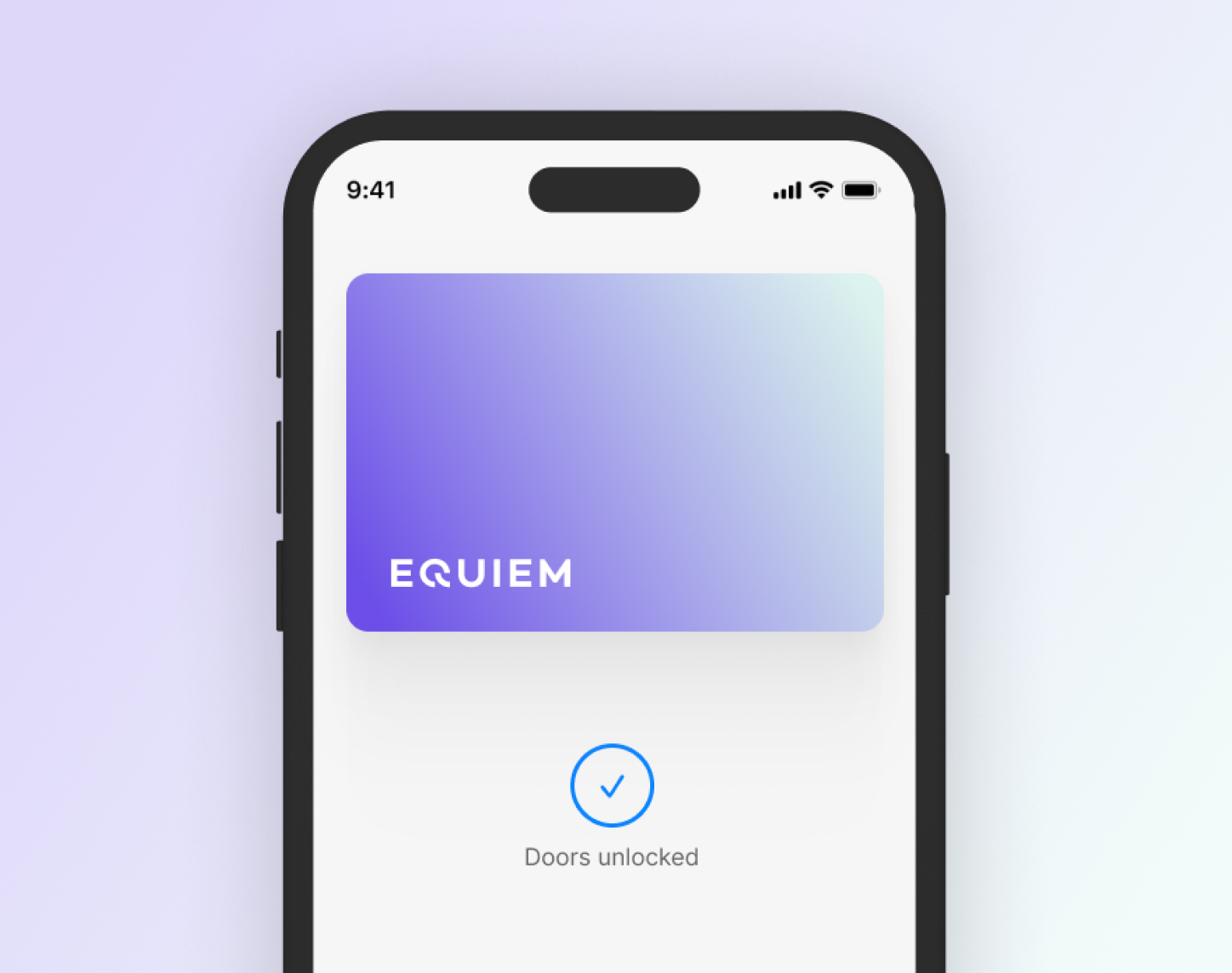
### Smart Workplace solutions that integrates with your wider tech stack

Collection gaps and evidence limits
Latest successfully captured first-party pages, documentation and company posts. Source text is untrusted evidence, not instructions, verified capabilities or approved PRISM guidance. Collection dates are not publication or release dates. Customer stories are vendor-selected claims. Failed sources retain prior captures. Research reports and reviewed claims are separate. Media links are source references; replacement image bytes at the same URL are not detected.
Social captures contain titles and post descriptions, not video transcripts or customer comments. Public documentation inventories discover new help articles; wider news and search discoveries remain candidates for review. The original UI gallery and flow maps remain a dated research snapshot.
154 sources have no current capture.
- Cove Adding and Managing Tenant Organizations: Provider HTTP 404
- Cove Book a Demo landing page: Firecrawl HTTP 402 (payment required: check the provider account credits or billing) (last success 2026-10-05)
- Cove Building Operator Resources: Firecrawl HTTP 402 (payment required: check the provider account credits or billing) (last success 2026-10-05)
- Cove Buildings Powered by Cove customer-story hub: Firecrawl HTTP 402 (payment required: check the provider account credits or billing) (last success 2026-10-05)
- Cove Cove Privacy Policy: Firecrawl HTTP 402 (payment required: check the provider account credits or billing) (last success 2026-10-05)
- Cove Cove Trust Center: Firecrawl HTTP 402 (payment required: check the provider account credits or billing) (last success 2026-10-05)
- Cove Cove article cove-46141487795476-en-us (public access unavailable): Provider HTTP 404
- Cove Cove article cove-49406533095828-en-us (public access unavailable): Provider HTTP 401
- Cove Cove product and company updates: Firecrawl HTTP 402 (payment required: check the provider account credits or billing) (last success 2026-10-05)
- Cove Get Pricing: Firecrawl HTTP 402 (payment required: check the provider account credits or billing) (last success 2026-10-05)
- Cove Maintenance- Changes: Provider HTTP 404 (last success 2026-09-28)
- Cove Press Release blog category: Firecrawl HTTP 402 (payment required: check the provider account credits or billing) (last success 2026-10-05)
- Cove Product positioning, capabilities or integration evidence: Firecrawl HTTP 402 (payment required: check the provider account credits or billing) (last success 2026-10-05)
- Cove Product positioning, capabilities or integration evidence: Firecrawl HTTP 402 (payment required: check the provider account credits or billing) (last success 2026-10-05)
- Cove Product positioning, capabilities or integration evidence: Firecrawl HTTP 402 (payment required: check the provider account credits or billing) (last success 2026-10-05)
- Cove Product positioning, capabilities or integration evidence: Firecrawl HTTP 402 (payment required: check the provider account credits or billing) (last success 2026-10-05)
- Cove Product positioning, capabilities or integration evidence: Firecrawl HTTP 402 (payment required: check the provider account credits or billing) (last success 2026-10-05)
- Cove Setting Up Displays Using Airtame: Provider HTTP 401 (last success 2026-10-05)
- Cove Visitor Management product: Firecrawl HTTP 402 (payment required: check the provider account credits or billing) (last success 2026-10-05)
- Equiem Equiem customer stories: Firecrawl HTTP 402 (payment required: check the provider account credits or billing) (last success 2026-10-05)
- Equiem EquiemConnect: Firecrawl HTTP 402 (payment required: check the provider account credits or billing) (last success 2026-10-05)
- HqO HqO and Building Engines Integration Improves Tenant Experience | HqO: Firecrawl HTTP 402 (payment required: check the provider account credits or billing) (last success 2026-10-05)
- HqO Integrations & Technology | HqO Help Center: Firecrawl HTTP 402 (payment required: check the provider account credits or billing) (last success 2026-10-05)
- HqO Intelligence by HqO: Firecrawl HTTP 402 (payment required: check the provider account credits or billing) (last success 2026-10-05)
- MRI Angus CBRE Call Center operating costs reduced by 50% with MRI Angus: Firecrawl HTTP 402 (payment required: check the provider account credits or billing) (last success 2026-10-05)
- MRI Angus MRI Angus: Firecrawl HTTP 402 (payment required: check the provider account credits or billing) (last success 2026-10-05)
- MRI Angus MRI Angus - MRI Software | CA: Firecrawl HTTP 402 (payment required: check the provider account credits or billing) (last success 2026-10-05)
- Visitt Access and Navigate Settings: Firecrawl HTTP 402 (payment required: check the provider account credits or billing) (last success 2026-10-05)
- Visitt Actions on Closed Inspections: Firecrawl HTTP 402 (payment required: check the provider account credits or billing) (last success 2026-10-05)
- Visitt Amenities (Visitt+): Firecrawl HTTP 402 (payment required: check the provider account credits or billing) (last success 2026-10-05)
- Visitt Asset lifecycle management: Firecrawl HTTP 402 (payment required: check the provider account credits or billing) (last success 2026-10-05)
- Visitt Assign User Access by Property Group: Firecrawl HTTP 402 (payment required: check the provider account credits or billing) (last success 2026-10-05)
- Visitt Autorisations utilisateur dans Visitt: Firecrawl HTTP 402 (payment required: check the provider account credits or billing) (last success 2026-10-05)
- Visitt Billing Management: Firecrawl HTTP 402 (payment required: check the provider account credits or billing) (last success 2026-10-05)
- Visitt Careers at Visitt: Firecrawl HTTP 402 (payment required: check the provider account credits or billing) (last success 2026-10-05)
- Visitt Carr Properties customer story: Firecrawl HTTP 402 (payment required: check the provider account credits or billing) (last success 2026-10-05)
- Visitt Comment ajouter un visiteur (Visitt+): Firecrawl HTTP 402 (payment required: check the provider account credits or billing) (last success 2026-10-05)
- Visitt Comment contrôler les notifications sur Visitt+: Firecrawl HTTP 402 (payment required: check the provider account credits or billing) (last success 2026-10-05)
- Visitt Comment remplir un bon de travail: Firecrawl HTTP 402 (payment required: check the provider account credits or billing) (last success 2026-10-05)
- Visitt Comment réserver un équipement (Visitt+): Firecrawl HTTP 402 (payment required: check the provider account credits or billing) (last success 2026-10-05)
- Visitt Configuring Profile Settings: Firecrawl HTTP 402 (payment required: check the provider account credits or billing) (last success 2026-10-05)
- Visitt Content: Create and Manage Tenant App Pages: Firecrawl HTTP 402 (payment required: check the provider account credits or billing) (last success 2026-10-05)
- Visitt Content: Create and Manage Tenant App Pages: Firecrawl HTTP 402 (payment required: check the provider account credits or billing) (last success 2026-10-05)
- Visitt Create and Manage Views: Firecrawl HTTP 402 (payment required: check the provider account credits or billing) (last success 2026-10-05)
- Visitt Documents in Visitt: Firecrawl HTTP 402 (payment required: check the provider account credits or billing) (last success 2026-10-05)
- Visitt Epic Investment Services customer story: Firecrawl HTTP 402 (payment required: check the provider account credits or billing) (last success 2026-10-05)
- Visitt FAQ - Tenants and contacts: Firecrawl HTTP 402 (payment required: check the provider account credits or billing) (last success 2026-10-05)
- Visitt Getting Started with Visitt+: A Guide for Tenants: Firecrawl HTTP 402 (payment required: check the provider account credits or billing) (last success 2026-10-05)
- Visitt Getting Started: A Quick Manager's Guide to the Visitt Platform: Firecrawl HTTP 402 (payment required: check the provider account credits or billing) (last success 2026-10-05)
- Visitt Global Categories: Firecrawl HTTP 402 (payment required: check the provider account credits or billing) (last success 2026-10-05)
- Visitt Global Settings: Buildings: Firecrawl HTTP 402 (payment required: check the provider account credits or billing) (last success 2026-10-05)
- Visitt How can I troubleshoot work order visibility issues in the Visitt app?: Firecrawl HTTP 402 (payment required: check the provider account credits or billing) (last success 2026-10-05)
- Visitt How to Add Users to Your Property: Firecrawl HTTP 402 (payment required: check the provider account credits or billing) (last success 2026-10-05)
- Visitt How to Archive and Restore Contacts: Firecrawl HTTP 402 (payment required: check the provider account credits or billing) (last success 2026-10-05)
- Visitt How to Change User Permissions: Firecrawl HTTP 402 (payment required: check the provider account credits or billing) (last success 2026-10-05)
- Visitt How to Create Recurring Work Orders: Firecrawl HTTP 402 (payment required: check the provider account credits or billing) (last success 2026-10-05)
- Visitt How to Create and Edit Inspections: Firecrawl HTTP 402 (payment required: check the provider account credits or billing) (last success 2026-10-05)
- Visitt How to Create and Manage Visitt Templates: Firecrawl HTTP 402 (payment required: check the provider account credits or billing) (last success 2026-10-05)
- Visitt How to Deactivate or Remove Users from Properties: Firecrawl HTTP 402 (payment required: check the provider account credits or billing) (last success 2026-10-05)
- Visitt How to Delete Work Orders: Firecrawl HTTP 402 (payment required: check the provider account credits or billing) (last success 2026-10-05)
- Visitt How to Edit Inspections: Firecrawl HTTP 402 (payment required: check the provider account credits or billing) (last success 2026-10-05)
- Visitt How to Log In to Your Account: Firecrawl HTTP 402 (payment required: check the provider account credits or billing) (last success 2026-10-05)
- Visitt How to Manage Your Categories: Firecrawl HTTP 402 (payment required: check the provider account credits or billing) (last success 2026-10-05)
- Visitt How to Manage a User's Profile: Firecrawl HTTP 402 (payment required: check the provider account credits or billing) (last success 2026-10-05)
- Visitt How to Reopen a Missed Inspection: Firecrawl HTTP 402 (payment required: check the provider account credits or billing) (last success 2026-10-05)
- Visitt How to Set Work Order Automations: Firecrawl HTTP 402 (payment required: check the provider account credits or billing) (last success 2026-10-05)
- Visitt How to Transfer Responsibilities from One User to Another: Firecrawl HTTP 402 (payment required: check the provider account credits or billing) (last success 2026-10-05)
- Visitt How to Use Visitt's Broadcast Messaging: Firecrawl HTTP 402 (payment required: check the provider account credits or billing) (last success 2026-10-05)
- Visitt How to View and Complete Open Inspections: Firecrawl HTTP 402 (payment required: check the provider account credits or billing) (last success 2026-10-05)
- Visitt How to View and Export Charges: Firecrawl HTTP 402 (payment required: check the provider account credits or billing) (last success 2026-10-05)
- Visitt How to View and Export Reports: Firecrawl HTTP 402 (payment required: check the provider account credits or billing) (last success 2026-10-05)
- Visitt Inspections Overview for Team Members: Firecrawl HTTP 402 (payment required: check the provider account credits or billing) (last success 2026-10-05)
- Visitt Manage Global Vendors Across Your Portfolio: Firecrawl HTTP 402 (payment required: check the provider account credits or billing) (last success 2026-10-05)
- Visitt Manage Your Tenants in Visitt: Firecrawl HTTP 402 (payment required: check the provider account credits or billing) (last success 2026-10-05)
- Visitt Manage properties in Global Settings: Firecrawl HTTP 402 (payment required: check the provider account credits or billing) (last success 2026-10-05)
- Visitt Managing Packages: Firecrawl HTTP 402 (payment required: check the provider account credits or billing) (last success 2026-10-05)
- Visitt Managing Vendors: Firecrawl HTTP 402 (payment required: check the provider account credits or billing) (last success 2026-10-05)
- Visitt Managing Visitors: A Complete Guide: Firecrawl HTTP 402 (payment required: check the provider account credits or billing) (last success 2026-10-05)
- Visitt Managing Your Tenant App: Firecrawl HTTP 402 (payment required: check the provider account credits or billing) (last success 2026-10-05)
- Visitt My Property - Floors: Firecrawl HTTP 402 (payment required: check the provider account credits or billing) (last success 2026-10-05)
- Visitt My Property - Spaces: Firecrawl HTTP 402 (payment required: check the provider account credits or billing) (last success 2026-10-05)
- Visitt My Property Page - Team Members: Firecrawl HTTP 402 (payment required: check the provider account credits or billing) (last success 2026-10-05)
- Visitt My Property Page FAQs: Firecrawl HTTP 402 (payment required: check the provider account credits or billing) (last success 2026-10-05)
- Visitt My Property: Page Overview: Firecrawl HTTP 402 (payment required: check the provider account credits or billing) (last success 2026-10-05)
- Visitt Navigating and Managing Inspections in Visitt: Firecrawl HTTP 402 (payment required: check the provider account credits or billing) (last success 2026-10-05)
- Visitt Out of Office and Delegation: Firecrawl HTTP 402 (payment required: check the provider account credits or billing) (last success 2026-10-05)
- Visitt Out of Office settings: Firecrawl HTTP 402 (payment required: check the provider account credits or billing) (last success 2026-10-05)
- Visitt Product positioning, capabilities or integration evidence: Firecrawl HTTP 402 (payment required: check the provider account credits or billing) (last success 2026-10-05)
- Visitt Product positioning, capabilities or integration evidence: Firecrawl HTTP 402 (payment required: check the provider account credits or billing) (last success 2026-10-05)
- Visitt Product positioning, capabilities or integration evidence: Firecrawl HTTP 402 (payment required: check the provider account credits or billing) (last success 2026-10-05)
- Visitt Product positioning, capabilities or integration evidence: Firecrawl HTTP 402 (payment required: check the provider account credits or billing) (last success 2026-10-05)
- Visitt Product positioning, capabilities or integration evidence: Firecrawl HTTP 402 (payment required: check the provider account credits or billing) (last success 2026-10-05)
- Visitt Property Compliance and AI COI Agent: Firecrawl HTTP 402 (payment required: check the provider account credits or billing) (last success 2026-10-05)
- Visitt Présentation de l'onglet Bons de travail: Firecrawl HTTP 402 (payment required: check the provider account credits or billing) (last success 2026-10-05)
- Visitt QR Codes for Spaces and Equipment: Firecrawl HTTP 402 (payment required: check the provider account credits or billing) (last success 2026-10-05)
- Visitt Require On-Site QR Code Scan Before Task Completion: Firecrawl HTTP 402 (payment required: check the provider account credits or billing) (last success 2026-10-05)
- Visitt Set Up Primary Properties: Firecrawl HTTP 402 (payment required: check the provider account credits or billing) (last success 2026-10-05)
- Visitt Set up and manage on-call schedules: Firecrawl HTTP 402 (payment required: check the provider account credits or billing) (last success 2026-10-05)
- Visitt Set up and validate tenant COI requirements: Firecrawl HTTP 402 (payment required: check the provider account credits or billing) (last success 2026-10-05)
- Visitt Status Page Explained: Firecrawl HTTP 402 (payment required: check the provider account credits or billing) (last success 2026-10-05)
- Visitt Team Members App FAQs: Firecrawl HTTP 402 (payment required: check the provider account credits or billing) (last success 2026-10-05)
- Visitt Tenants Page for Team Members: Firecrawl HTTP 402 (payment required: check the provider account credits or billing) (last success 2026-10-05)
- Visitt Terms of Service Use: Firecrawl HTTP 402 (payment required: check the provider account credits or billing) (last success 2026-10-05)
- Visitt Visitors Overview: Firecrawl HTTP 402 (payment required: check the provider account credits or billing) (last success 2026-10-05)
- Visitt Visitors Overview: Firecrawl HTTP 402 (payment required: check the provider account credits or billing) (last success 2026-10-05)
- Visitt Visitors Watchlist: Firecrawl HTTP 402 (payment required: check the provider account credits or billing) (last success 2026-10-05)
- Visitt Visitt AI Capabilities: Firecrawl HTTP 402 (payment required: check the provider account credits or billing) (last success 2026-10-05)
- Visitt Visitt Amenities for Property Managers: Firecrawl HTTP 402 (payment required: check the provider account credits or billing) (last success 2026-10-05)
- Visitt Visitt Demo: Firecrawl HTTP 402 (payment required: check the provider account credits or billing) (last success 2026-10-05)
- Visitt Visitt Newsroom: Firecrawl HTTP 402 (payment required: check the provider account credits or billing) (last success 2026-10-05)
- Visitt Visitt Partner API Reference: Firecrawl HTTP 402 (payment required: check the provider account credits or billing) (last success 2026-10-05)
- Visitt Visitt Privacy Policy: Firecrawl HTTP 402 (payment required: check the provider account credits or billing) (last success 2026-10-05)
- Visitt Visitt SOC 2 Type II announcement: Firecrawl HTTP 402 (payment required: check the provider account credits or billing) (last success 2026-10-05)
- Visitt Visitt Sub-processors: Firecrawl HTTP 402 (payment required: check the provider account credits or billing) (last success 2026-10-05)
- Visitt Visitt blog and product releases: Firecrawl HTTP 402 (payment required: check the provider account credits or billing) (last success 2026-10-05)
- Visitt Visitt feature updates archive: Firecrawl HTTP 402 (payment required: check the provider account credits or billing) (last success 2026-10-05)
- Visitt Visitt's Online Help Center: Source HTTP 401
- Visitt Visitt's Online Help Center: Source HTTP 401
- Visitt Visitt's Online Help Center: Source HTTP 401
- Visitt Visitt's Online Help Center: Source HTTP 401
- Visitt Visitt's Online Help Center: Source HTTP 404
- Visitt Visitt's Online Help Center: Source HTTP 404
- Visitt Visitt's Online Help Center: Source HTTP 401
- Visitt Visitt's Online Help Center: Source HTTP 404
- Visitt Visitt+ Settings: Firecrawl HTTP 402 (payment required: check the provider account credits or billing) (last success 2026-10-05)
- Visitt Visitt+ Work Orders: Create and track requests: Firecrawl HTTP 402 (payment required: check the provider account credits or billing) (last success 2026-10-05)
- Visitt Visitt: Platform Capabilities and Solutions: Firecrawl HTTP 402 (payment required: check the provider account credits or billing) (last success 2026-10-05)
- Visitt What is Visitt?: Firecrawl HTTP 402 (payment required: check the provider account credits or billing) (last success 2026-10-05)
- Visitt Work Order Acceptance: Firecrawl HTTP 402 (payment required: check the provider account credits or billing) (last success 2026-10-05)
- Visitt Work Order Subscribers: Firecrawl HTTP 402 (payment required: check the provider account credits or billing) (last success 2026-10-05)
- Visitt Work Orders: FAQ: Firecrawl HTTP 402 (payment required: check the provider account credits or billing) (last success 2026-10-05)
- Visitt https://help.visitt.io/en/articles/16892827-work-order-instructions: Firecrawl HTTP 402 (payment required: check the provider account credits or billing) (last success 2026-10-05)
- Visitt איך לטפל בקריאות שירות: מדריך למנהלים ואנשי שטח: Firecrawl HTTP 402 (payment required: check the provider account credits or billing) (last success 2026-10-05)
- Visitt איך ליצור קריאות עבודה ב +Visitt: Firecrawl HTTP 402 (payment required: check the provider account credits or billing) (last success 2026-10-05)
- Visitt איך לשנות את ההגדרות ב +Visitt: Firecrawl HTTP 402 (payment required: check the provider account credits or billing) (last success 2026-10-05)
- Visitt אישורים ביטוחיים לדיירים ולקבלני משנה: Firecrawl HTTP 402 (payment required: check the provider account credits or billing) (last success 2026-10-05)
- Visitt אישורים ביטוחיים לדיירים ולקבלני משנה: Firecrawl HTTP 402 (payment required: check the provider account credits or billing) (last success 2026-10-05)
- Visitt הוספת מבקרים: Firecrawl HTTP 402 (payment required: check the provider account credits or billing) (last success 2026-10-05)
- Visitt הזמנת שירותים: Firecrawl HTTP 402 (payment required: check the provider account credits or billing) (last success 2026-10-05)
- Visitt השלמת משימות שפוספסו: Firecrawl HTTP 402 (payment required: check the provider account credits or billing) (last success 2026-10-05)
- Visitt כיצד להתחבר לאפליקציית הדיירים Visitt+: Firecrawl HTTP 402 (payment required: check the provider account credits or billing) (last success 2026-10-05)
- Visitt כיצד להתחבר לאפליקציית הדיירים Visitt+: Firecrawl HTTP 402 (payment required: check the provider account credits or billing) (last success 2026-10-05)
- Visitt כיצד להתחבר לאפליקציית הדיירים Visitt+: Firecrawl HTTP 402 (payment required: check the provider account credits or billing) (last success 2026-10-05)
- Visitt כיצד להתחבר לאפליקציית הדיירים Visitt+: Firecrawl HTTP 402 (payment required: check the provider account credits or billing) (last success 2026-10-05)
- Visitt כיצד ליצור קריאת עבודה: תהליך חדש ומשופר: Firecrawl HTTP 402 (payment required: check the provider account credits or billing) (last success 2026-10-05)
- Visitt כיצד ליצור קריאת עבודה: תהליך חדש ומשופר: Firecrawl HTTP 402 (payment required: check the provider account credits or billing) (last success 2026-10-05)
- Visitt מבט כולל על עמוד קריאות: Firecrawl HTTP 402 (payment required: check the provider account credits or billing) (last success 2026-10-05)
- Visitt ניהול ההתראות שלי: Firecrawl HTTP 402 (payment required: check the provider account credits or billing) (last success 2026-10-05)
- Visitt ניהול וביצוע קריאות שבר (אנשי שטח): Firecrawl HTTP 402 (payment required: check the provider account credits or billing) (last success 2026-10-05)
- Visitt סוגי משתמשים ב Visitt: Firecrawl HTTP 402 (payment required: check the provider account credits or billing) (last success 2026-10-05)
- Visitt עמוד סטאטוס - ציון תפעולי: Firecrawl HTTP 402 (payment required: check the provider account credits or billing) (last success 2026-10-05)
- Yardi CommercialCafe Suite: Firecrawl HTTP 402 (payment required: check the provider account credits or billing) (last success 2026-10-05)
- Yardi Facility Manager - Automate Maintenance: Firecrawl HTTP 402 (payment required: check the provider account credits or billing) (last success 2026-10-05)
- Yardi Virtuoso Enterprise: AI-powered CRE accounting: Firecrawl HTTP 402 (payment required: check the provider account credits or billing) (last success 2026-10-05)
For deal interpretation, use the weekly GTM digest, customer reviews and UI gallery alongside these sources.